Setup Guide

Build your Slack data bot, step by step

Here is the exact path to get alerts, scheduled briefings, AI agents, and the ask-anything chatbot live in your workspace today.
Polar Analytics

Polar Analytics account

Connect Shopify, Meta, Google, Klaviyo to get real data flowing.

Book a demo →
Slack

Slack workspace

Admin rights to install the Polar app and create channels for alerts and digests.

Open Slack →
Claude

Claude account

Pro, Team, or Enterprise plan with Projects + remote connectors enabled.

Open Claude →
1

Ship your first agent 2-3 minutes

Browse templates, add Slack, you are live. Same flow does both.
How to
1
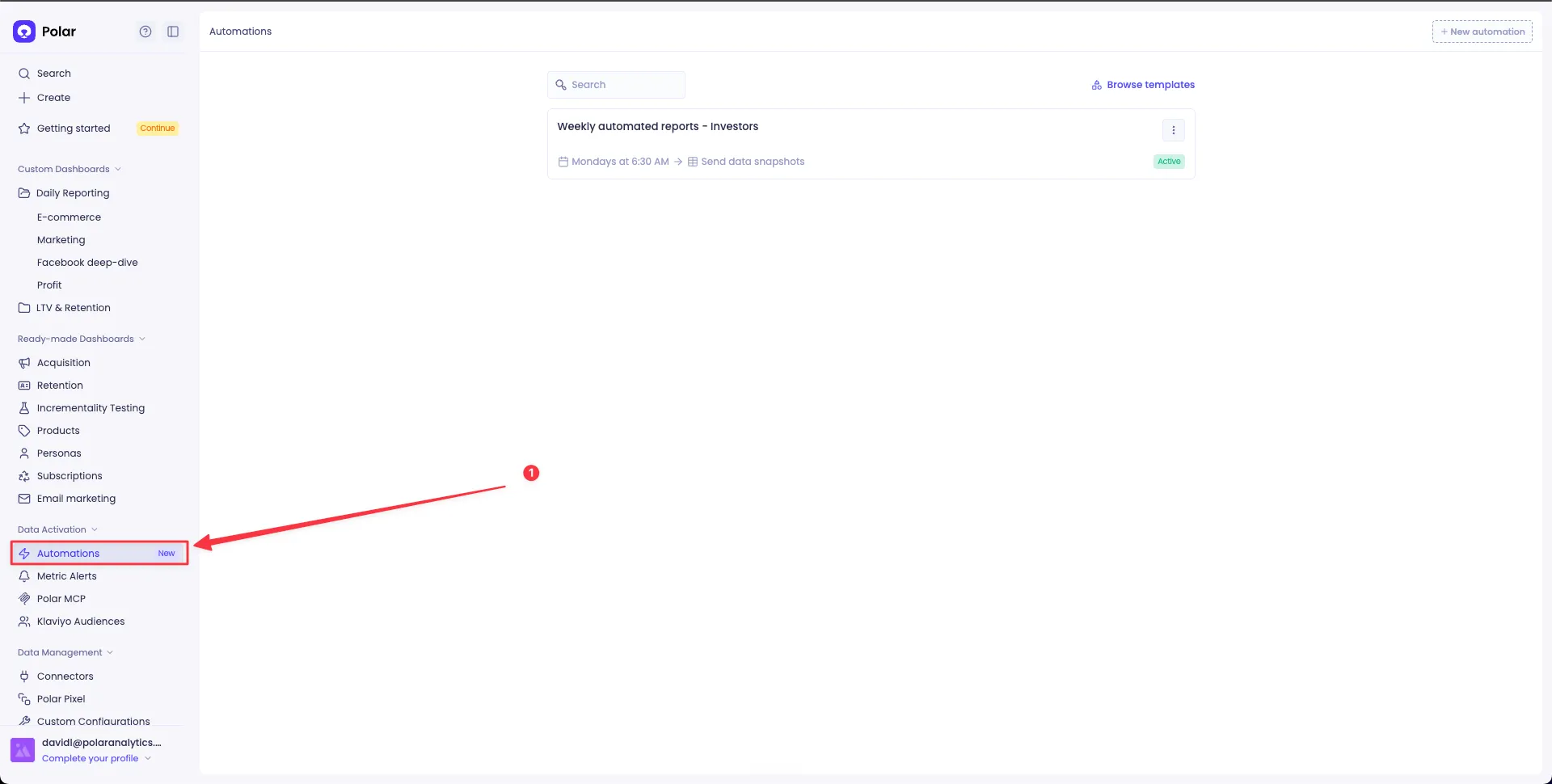
Open Polar → Automations.
Polar Automations page
2
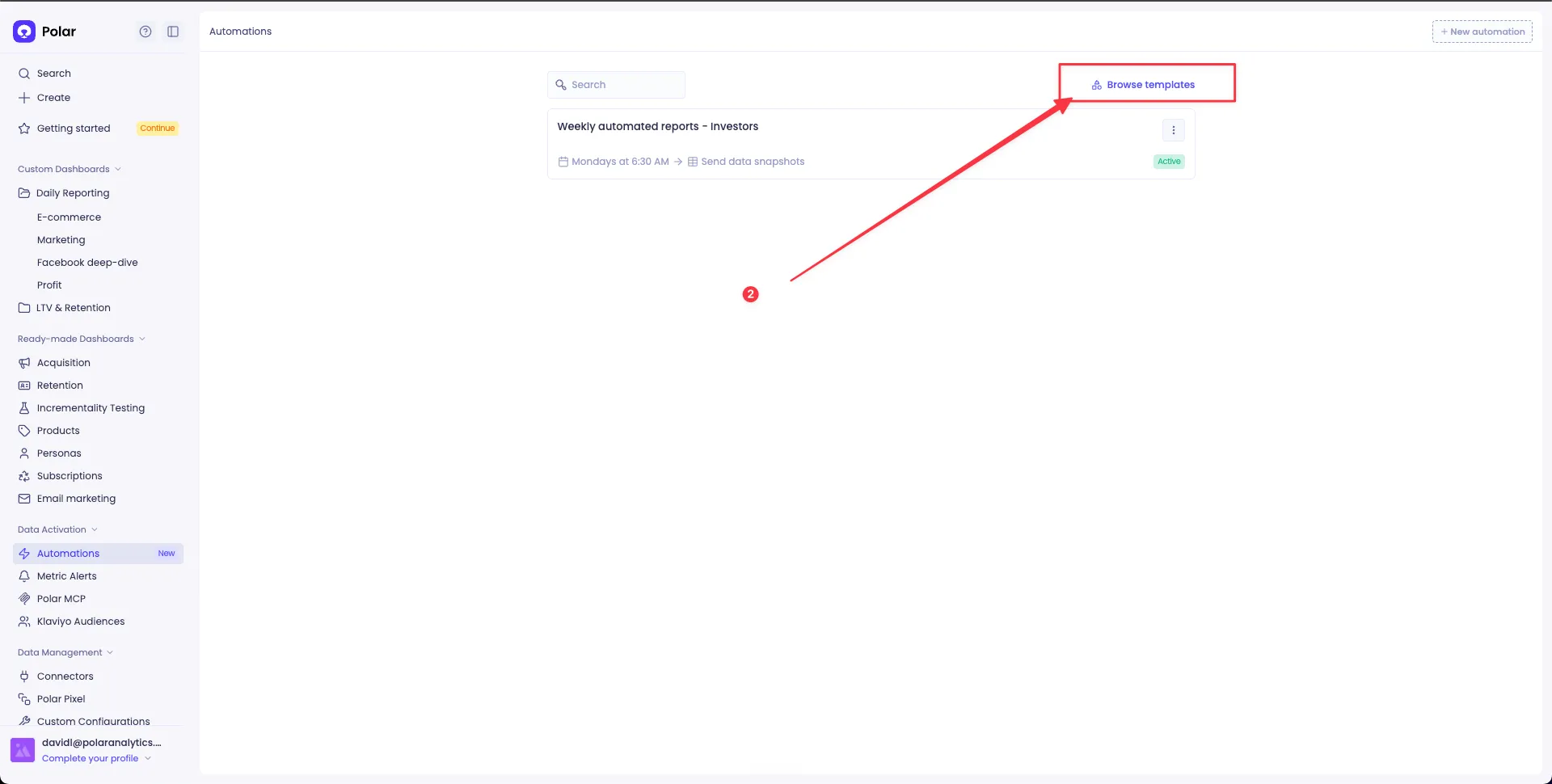
Click Browse templates in the top right.
Browse templates
3
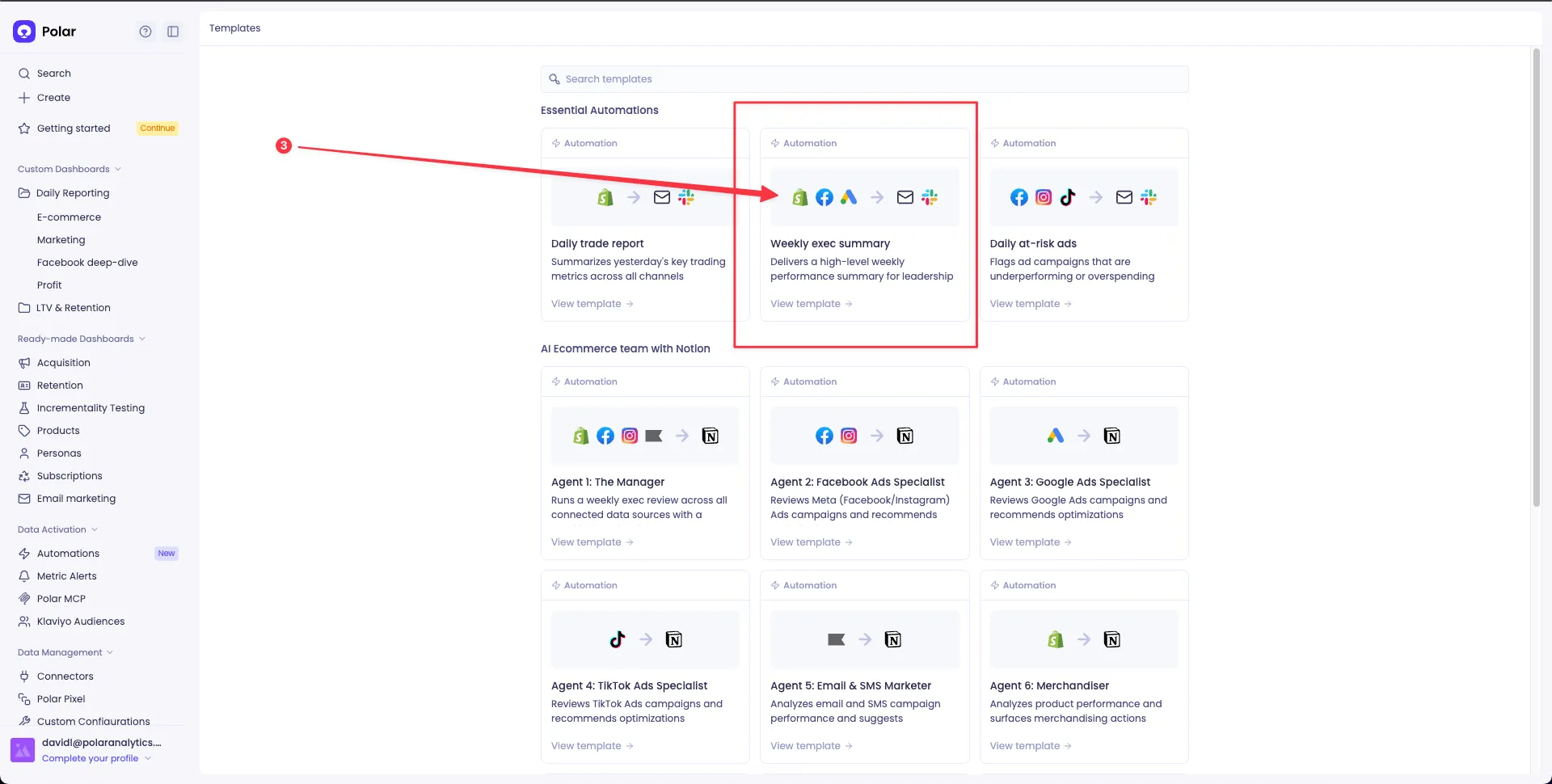
Pick Weekly exec summary (or any template you like).
Template detail
4
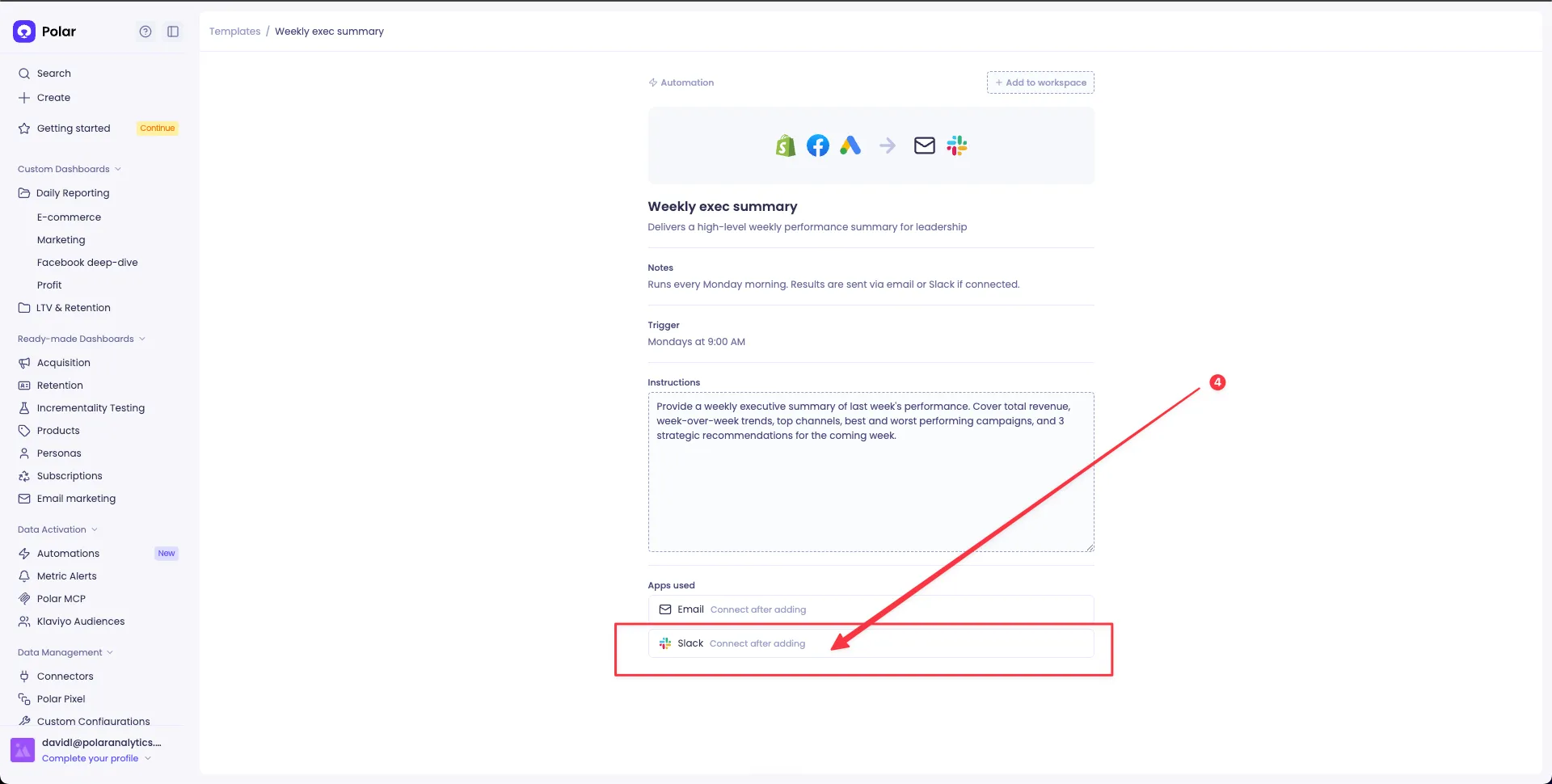
Click Connect Slack and authorize. Your first agent is now scheduled and live.
Connect Slack
Why this is the fastest start: the same flow connects Slack AND ships your first agent in one shot. Zero to live in under three minutes.
Ship your first agent
2

Build your agent suite 5-30 minutes

Channels and alerts, one per audience. Each team hears only what they need.
Create destination channels
  • #metrics-leadership — CEO, founders, COO. Low volume, high signal.
  • #metrics-growth — paid media, marketing, growth leads.
  • #metrics-retention — lifecycle, subscription, CRM.
  • #metrics-ops — fulfillment, supply chain, inventory.
  • #metrics-finance — FP&A, CFO.
Wire one alert per channel

The point of separate channels is that each team only sees what is relevant to them. Open Polar → Metric Alerts and click + Create Alert. For each row below, name the alert, pick the metric, set the threshold, and route it to the matching Slack channel under Delivery.

  • #metrics-growth Blended ROAS drops below 1.80x
  • #metrics-growth Polar Pixel Conversion Rate drops >15% WoW
  • #metrics-finance CM3 below your floor
  • #metrics-finance Blended CAC above your ceiling
  • #metrics-retention Subscription cancellations spike >25%
  • #metrics-retention Repeat customer share drop
  • #metrics-ops Inventory days-of-cover below 14
  • #metrics-ops Refund volume spike >40%
Tip: use the recipes catalog below as your library. Each card tells you the threshold, channel, and Slack preview for 69 alert + AI patterns.
Ship your agent suite
3

Speak to Polar from Slack 2 minutes

The payoff phase. Anyone asks, instant answer.
What this unlocks

The questions your team stops waiting on.

With the Claude Slack App + Polar MCP, anyone on your team @mentions Claude in any channel and gets a live answer from your data in seconds. No analyst bottleneck, no meeting, no "let me check the dashboard."

Thousands of unique questions already answered by Claude + Polar in Slack and counting.

A few of the questions Claude + Polar now answers in Slack:

@claude what's our blended ROAS this week?
@claude why did CAC spike yesterday?
@claude which Meta creative is fatiguing right now?
@claude are we on pace to hit our monthly revenue goal?
@claude what's our top-performing campaign this week?
@claude how is the April cohort retaining at day-60?
@claude which Klaviyo flow drives the most revenue?
@claude what's our repeat customer rate this month?
@claude pull LTV for jane@example.com
@claude what's our contribution margin this month?
@claude how much did we spend on Meta vs Google last week?
@claude are discounts eating our margin?
@claude which SKUs are about to stock out?
@claude what's our fulfillment SLA this week?
@claude what's the top return reason this week?
@claude how are we tracking vs same week last year?
Step-by-step setup

Claude Slack App + Polar MCP

1
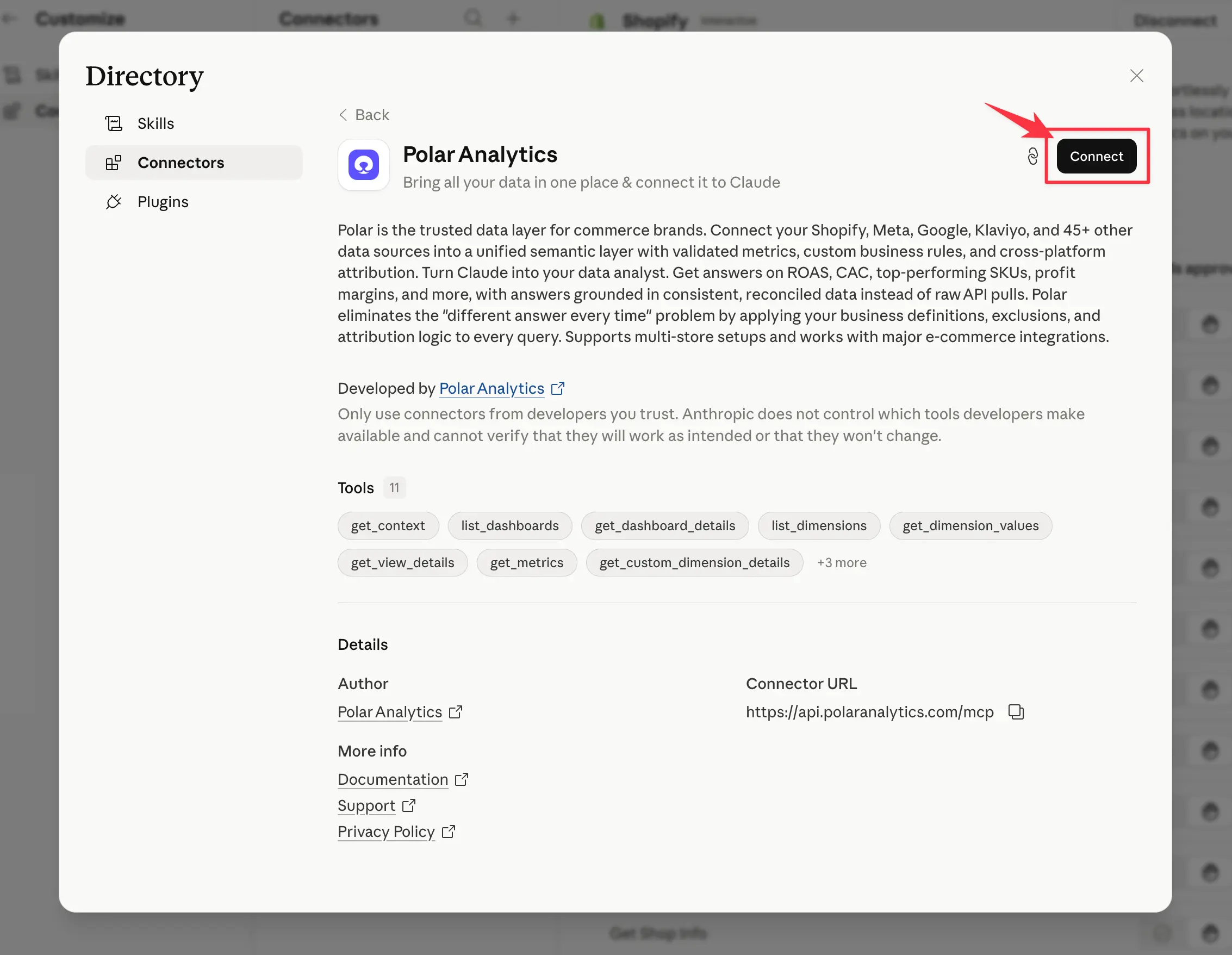
Connect the Polar MCP to your Claude account via the Claude directory: claude.ai/directory/connectors/polar-analytics. Click Add to Claude and authorize with your Polar workspace.
Polar Analytics connector in Claude directory
2
Install the Claude App on Slack from the Slack marketplace: slack.com/marketplace/A08SF47R6P4. Click Add to Slack and pick the workspace.
3
Connect your Claude account. After the app is installed, authenticate your individual Claude account:
  • Open the Claude app in Slack by clicking on Claude in your Apps section
  • Navigate to the App Home tab
  • Click Connect to link your Slack account with your Claude account
  • Complete the authentication flow in your browser
4
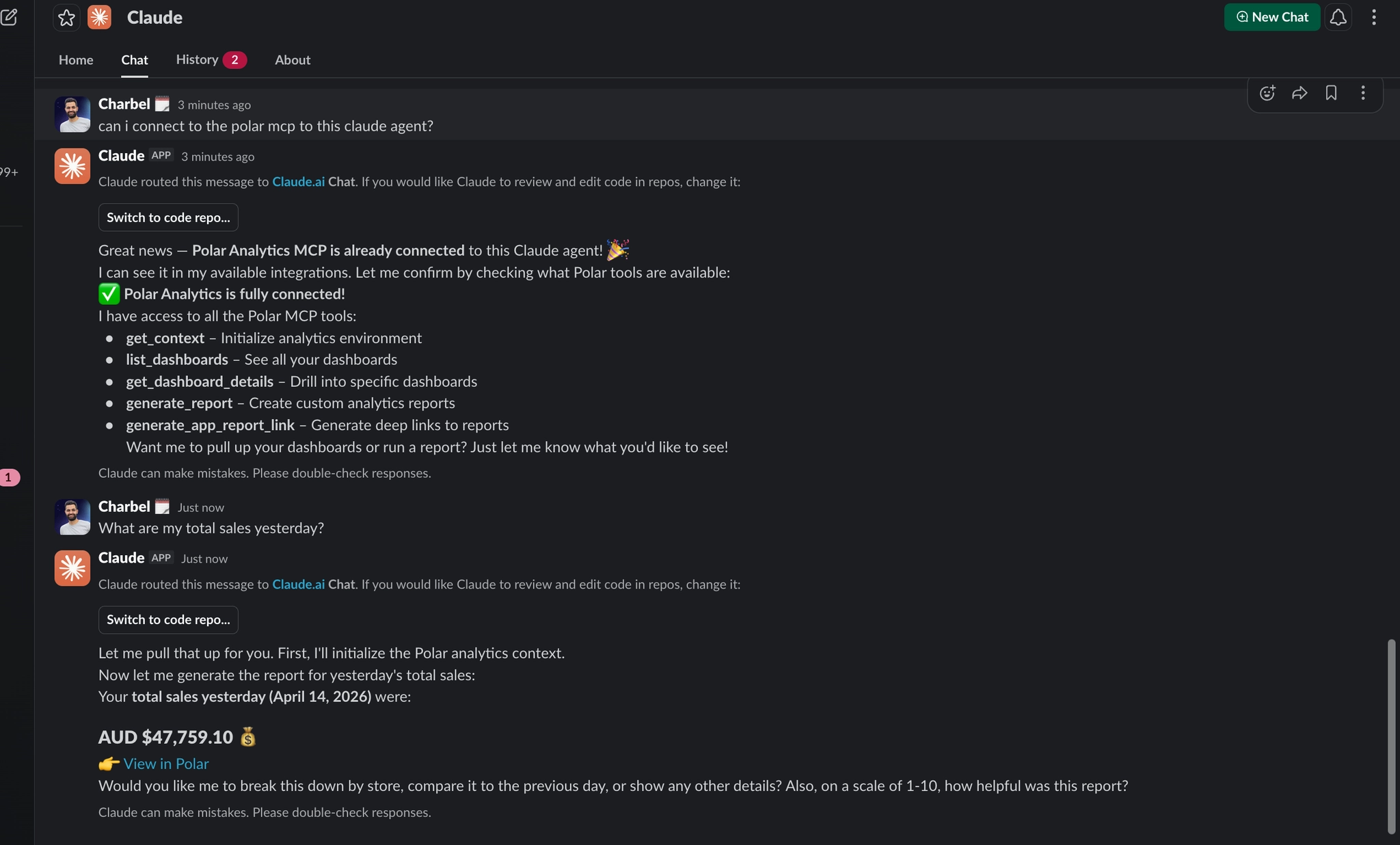
@claude from any Slack channel and ask anything about your business. Claude pulls live data from Polar and answers right in the thread.
Claude querying Polar from a Slack channel
Why this works: the Polar MCP is the bridge it gives Claude direct, governed access to your semantic layer (Shopify, Meta, Google, Klaviyo, all clean and attributed). No SQL, no hallucination, no stale exports.
Ship the chatbot
Get started

Only Polar users can talk to clean, attributed data in Slack with 100% accuracy.

Book a demo, connect Slack from your first template, enable the Polar Analytics connector in Claude, paste your first prompt from the recipes catalog. That's the whole flow.

The playbook, in cards

69 recipes to start with.

Curated starters from the full playbook. Filter by pattern, pick what fits your team, wire it up.
Pattern
Audience
69 of 69
The four patterns

Four ways Polar talks to Slack.

Almost every recipe in the playbook uses one of these four. Pick the right one for the job.
Alerts

Get pinged when something breaks.

Set a threshold and Polar pings the channel the moment it breaches. Daily, hourly, weekly whatever cadence keeps your team in the loop without becoming noise.
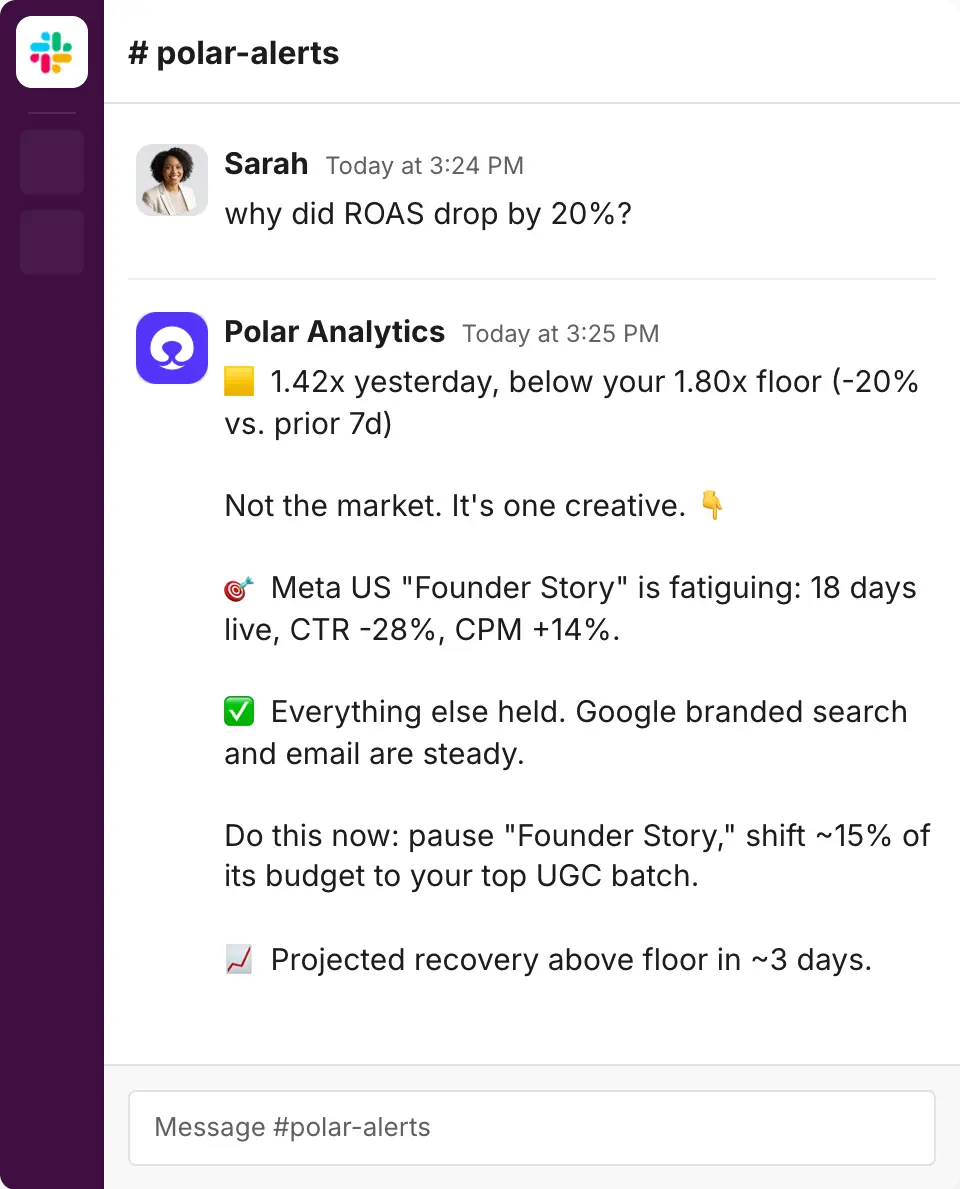
Blended ROAS, CAC ceilings, spend overruns, conversion drops
Absolute and relative thresholds catch sudden moves too
Scope to a channel, market, or brand via Views
Scheduled Reports

The same briefing, every morning.

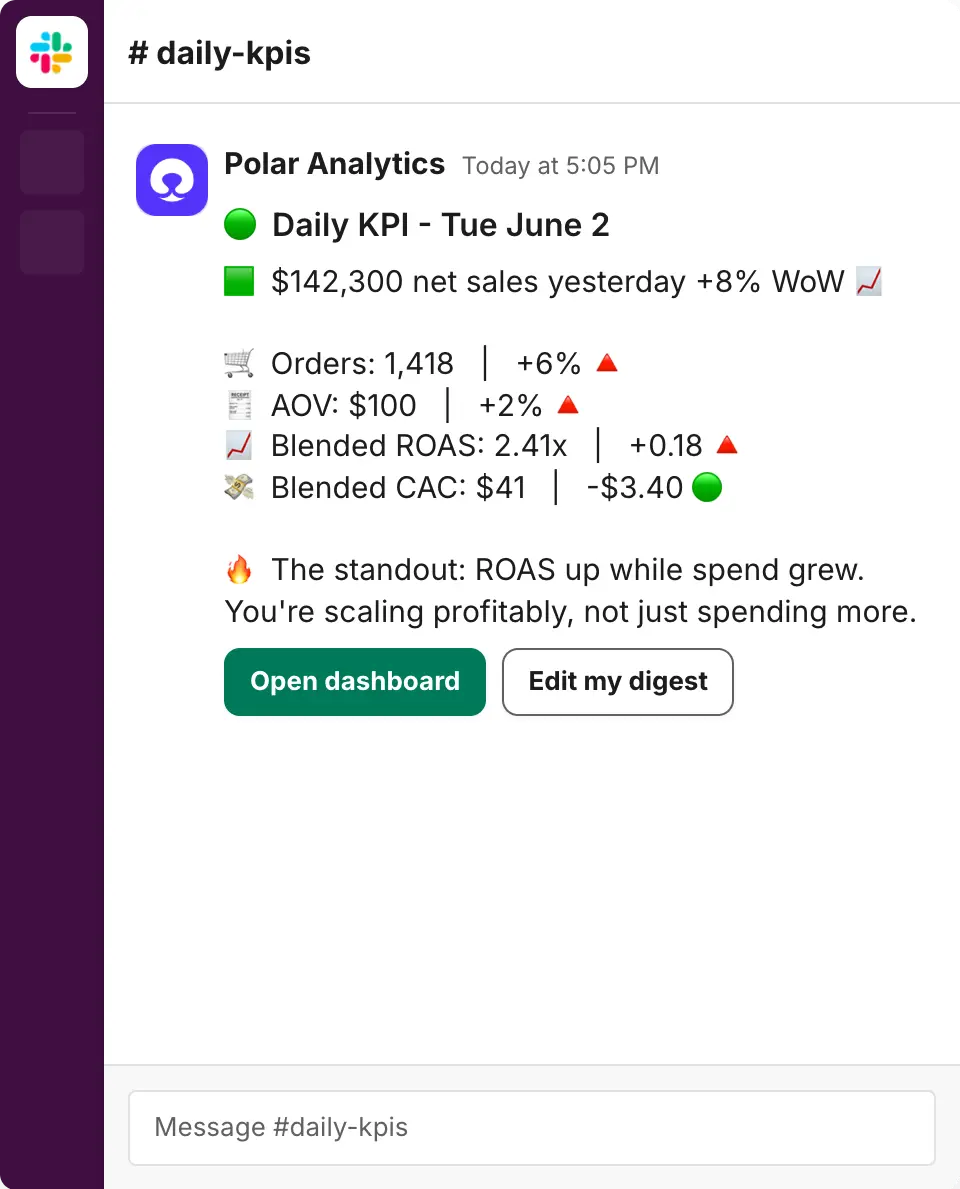
Build the dashboard once, then schedule it to drop in Slack on whatever cadence you want. Charts come through as images so it reads like a real briefing.

Daily 7am CEO digest, weekly performance recap, end-of-month pacing
Per-channel, per-market, per-client agency setups
Chart images, not walls of numbers
AI Automations

An agent that writes the briefing for you.

Instead of dropping numbers, Polar's AI queries your data and writes a calibrated narrative. Like a junior analyst dropping a memo into Slack every morning.
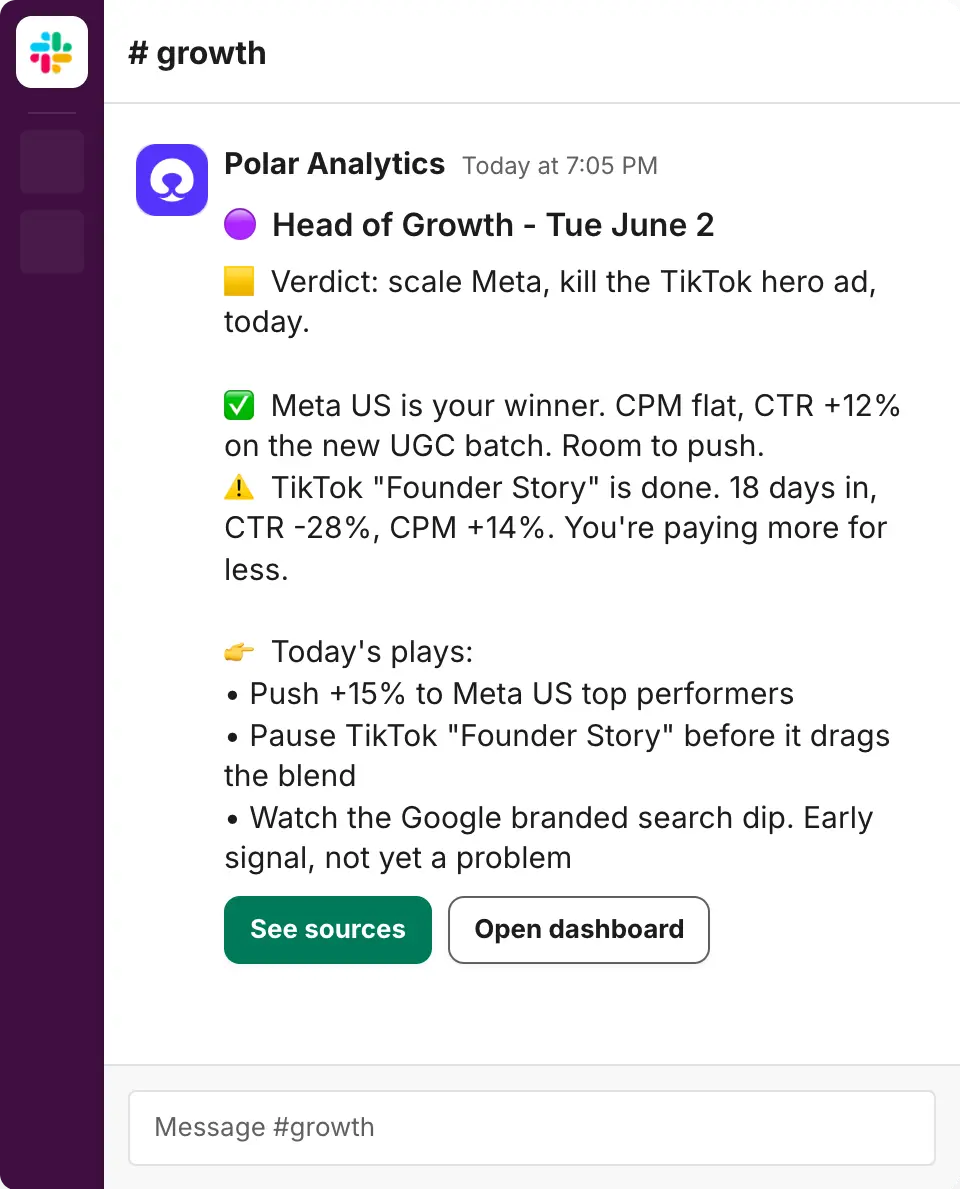
Head of Growth daily brief, Retention weekly, Creative twice-weekly
Paste-ready prompts for each operator persona
Calibrated language, no AI fluff
Ask Polar in Slack

Ask anything, from any channel.

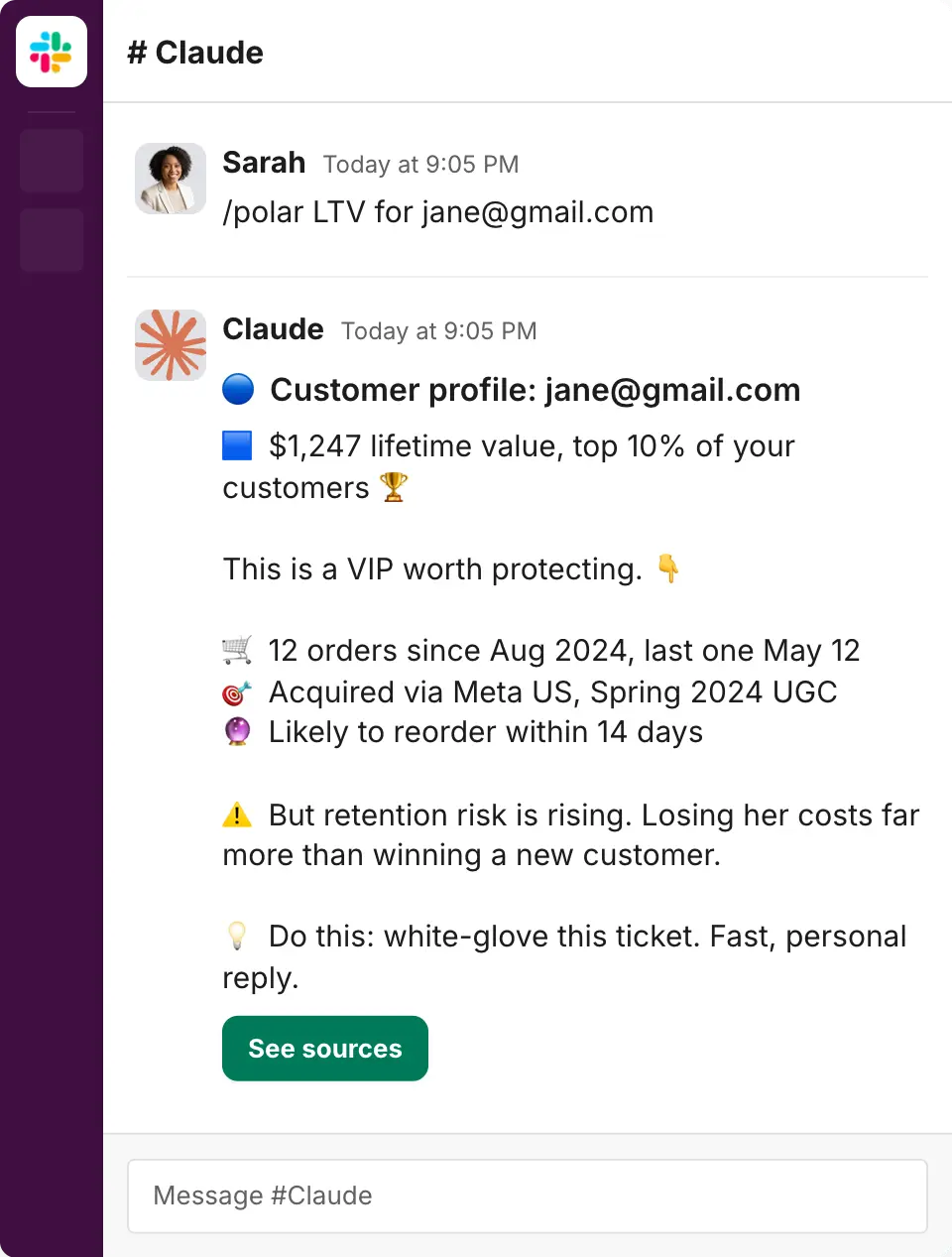
Slash command or @mention from anywhere in Slack. Answers land right in the thread. Quick KPI checks, customer lookups, cohort questions, geo comparisons.

/polar what was our blended ROAS last week?
@polar show LTV for jane@gmail.com
Reply @polar why? in an alert thread for driver decomposition
The foundation

Operators check analytics twice a day.
They check Slack constantly.

That asymmetry is exactly the case for Polar → Slack. The data lives in Polar. Every channel, every cohort, every dollar of spend. But decisions get made wherever your team is already looking.
Connect Slack
Get started · 3 phases · ~7 minutes

Build your Slack data bot in 3 phases.

Browse templates and ship your first agent in 3 minutes. Scale to your full agent suite. Add the two-way chatbot so anyone in your team can ask Polar a question and get an instant answer. No code required.

Phase 1 2-3 min Ship your first agent Browse templates, pick "Weekly exec summary", click Connect Slack. Same flow connects Slack and ships your first agent.
Phase 2 5-30 min Build your agent suite Create destination channels per audience. Wire one core alert to each. The system that catches what matters, routed where it matters.
Phase 3 2 min Speak to Polar from Slack Install the Claude Slack App + Polar MCP. Anyone @mentions Claude in any channel and gets an answer pulled live from Polar.