

A model that runs the scenarios and writes the actual recommendation into the sheet. It recommends, you decide.
See the worked example - this exact model, simulated and verified end to end on a synthetic ~$20M/yr DTC brand.
Here's the spreadsheet 👇
https://docs.google.com/spreadsheets/d/1VcEBiM3YDBrUp2C2_mJ6Ti4zM4AP1SXpgjLNYArXBk0/edit?usp=sharing
A reallocation model that lives in a Google Sheet: it takes a goal (maximize contribution margin next month), runs the budget scenarios across your channels, and writes a plain-English recommendation into a cell next to the math that produced it. You open the sheet, the call is already there with its reasoning, and you say yes, no, or override.
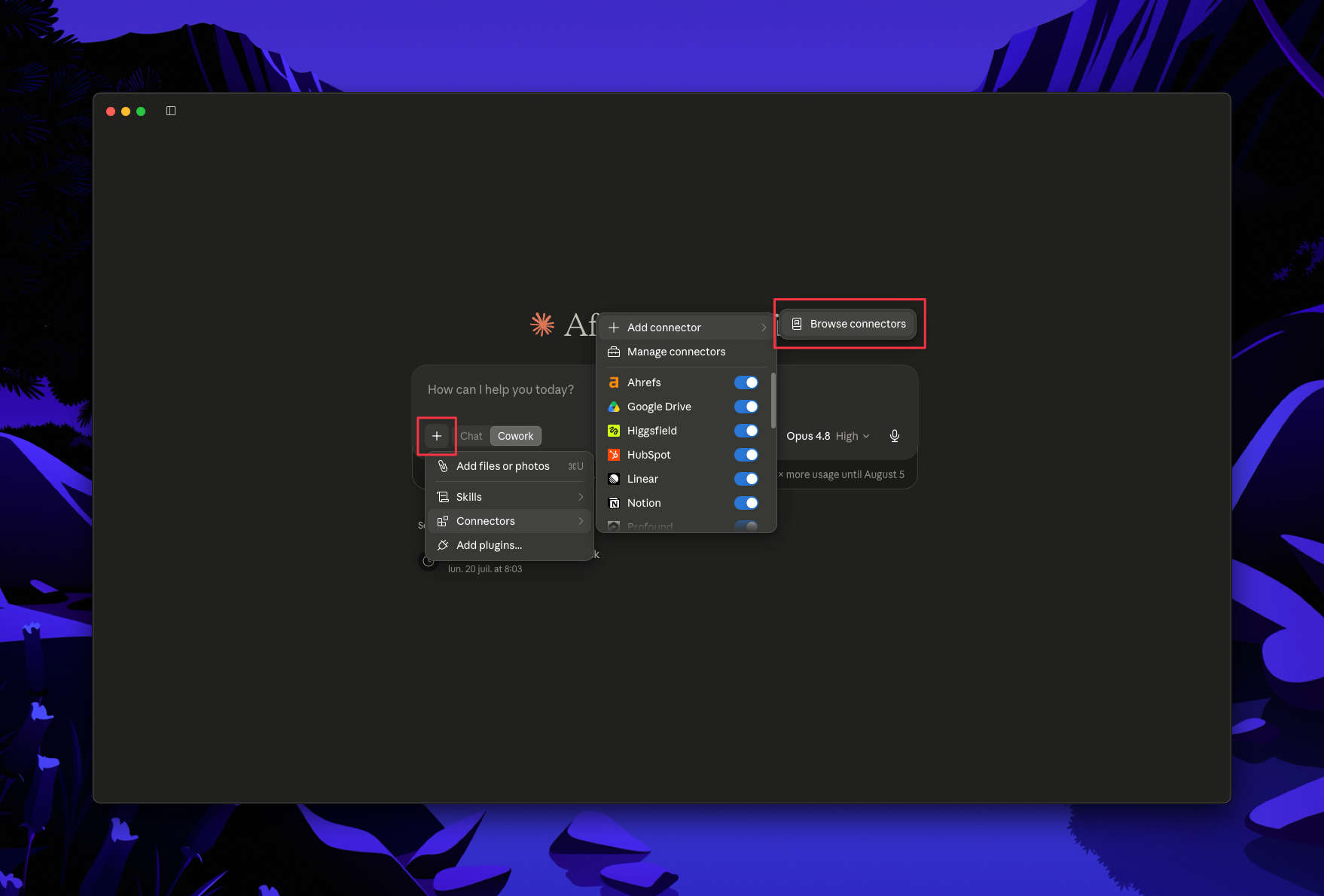
In Claude, open Connectors and enable, then authenticate: Shopify, Klaviyo, Meta Ads, Google Ads, and Google Drive (so Claude can write the recommendation into your sheet).
All four data sources have MCP connectors, so Claude reads them directly. For a channel without one (TikTok Shop, Amazon, a 3PL), bridge it with the Zapier MCP, pipe it into a warehouse and connect that MCP, or drop a CSV in each time.
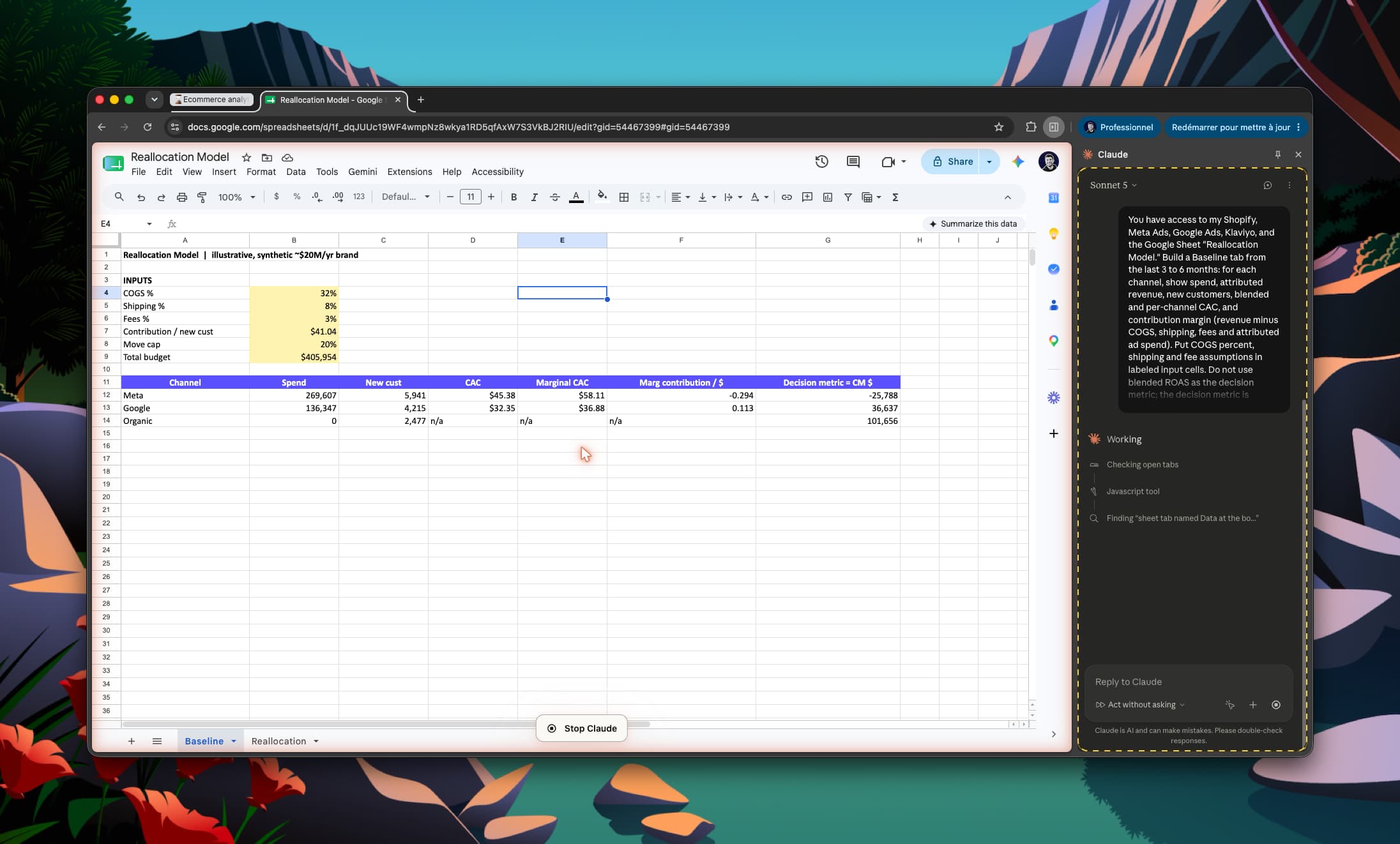
A recommendation is only as good as the margin math under it, so build that first. Give Claude this prompt:
You have access to my Shopify, Meta Ads, Google Ads, Klaviyo, and the Google Sheet "Reallocation Model." Build a Baseline tab from the last 3 to 6 months: for each channel, show spend, attributed revenue, new customers, blended and per-channel CAC, and contribution margin (revenue minus COGS, shipping, fees and attributed ad spend). Put COGS percent, shipping and fee assumptions in labeled input cells. Do not use blended ROAS as the decision metric; the decision metric is contribution margin dollars.
Sanity-check the margin line against a number you already trust before you go further.
Now give Claude this prompt:
Using the Baseline tab, maximize contribution margin next month within a total budget of [your number]. Run the reallocation scenarios across channels, then write a recommendation block into the sheet: which channel to move spend off, where to hold, and what to cut, with the margin reasoning for each in the adjacent cells. Respect a minimum spend floor of [your number] per channel so you never zero out a channel. Keep every assumption in an editable cell.
Claude runs the scenarios across the model, then writes the actual call into the sheet next to the math that justifies it.
Read the recommendation and check the reasoning in the cells beside it. Accept it, override a line, or change an assumption and rerun. When it behaves, save the prompt. In Claude Cowork you can schedule it so the reallocation lands in the sheet every Monday on its own, waiting on your yes or no.
Optional, but for a reallocation this is the part that decides whether the call is right.
The soft spot is the same one that decides the call: the margin math. Most setups eyeball blended ROAS and call it a decision. But "cut the low-ROAS channel" is how you accidentally kill your best top-of-funnel, because ROAS does not see margin, and a channel that looks bad on a dashboard can be the one actually making money.
Polar removes that. It gives Claude real contribution margin and attributed spend, defined once across the full business (marketing, sales, finance, operations in one governed dataset), so "cut this" means cut what is actually losing money. To define true contribution you need the whole picture, which is exactly what everyone else is missing.
Enable the Polar MCP and swap Step 2 for:
With Polar you can also rerun the recommendation across any of its 10 attribution models and watch the call change with how you count.
